
Windows x64 shellcode to load DLL from memory
A reflective DLL injector written in x64 ASM language. This does the minimum required operations to load a DLL which is loaded in memory(no need to be on disk).
This is done step by step as,
1. Calculate the DLL's current base address
2. Process the kernels exports for the functions our loader needs
3. Load our image into a new permanent location in memory
4. Load in all of our sections
5. Process DLL image's import table
6. Process all of DLL image's relocations
7. Call the DLL entry point
These steps are followed from https://github.com/stephenfewer/ReflectiveDLLInjection
Steps to try:
-
g++ -shared -o target.dll target.cpp -Wl,--out-implib,libtdll.a
-
python shellcode.py (This step will create shellcode.bin which is shellcode+target.dll)
-
g++ loader.c -o loader.exe
-
loader.exe shellcode.bin
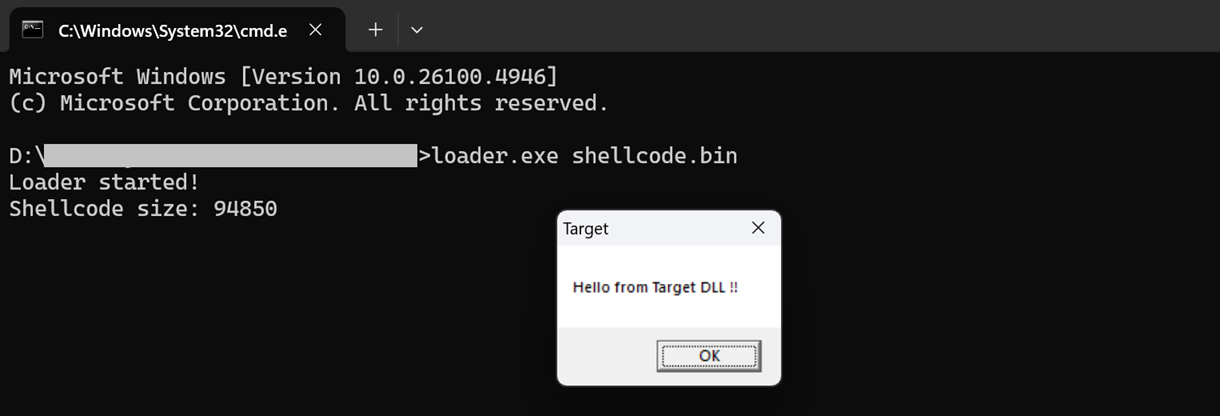

Usage
Examples and instructions for using the project.
Contributing
Guidelines for contributing to the project.
License
Information about the project's license.